|
Virtual Hostings
2015/05/25 |
|
It's the example to configure virtual hostings.
Following example is for domain name [srv.world],
virtual domain name [virtual.host (root directory[/home/vervet/public_html])].
This example requires to configure Enabling Userdir, too.
|
|
| [1] | Configure Virtual Hostings. |
|
root@www:~#
vi /etc/apache2/sites-available/virtual.host.conf # create a file for virtual.host
<VirtualHost *:80>
    ServerName www.virtual.host
    ServerAdmin webmaster@virtual.host
    DocumentRoot /home/vervet/public_html
    ErrorLog /var/log/apache2/virtual.host.error.log
    CustomLog /var/log/apache2/virtual.host.access.log combined
    LogLevel warn
</VirtualHost>
a2ensite virtual.host Enabling site virtual.host. To activate the new configuration, you need to run: service apache2 reloadroot@www:~# systemctl restart apache2 |
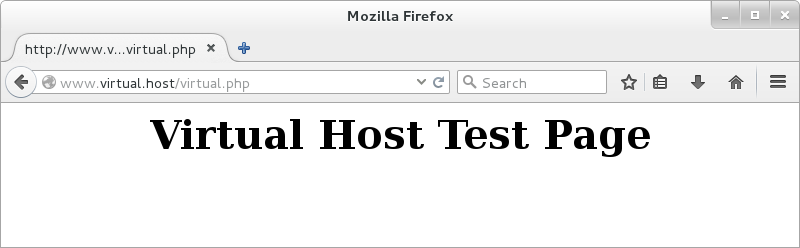
| [2] | Create a test page and access to it with web browser. It's OK if following page is shown. |
|
vervet@www:~$
vi public_html/virtual.php
<html>
<body> <div style="width: 100%; font-size: 40px; font-weight: bold; text-align:center;"> Virtual Host Test Page<br /> </div> </body> </html> |
|